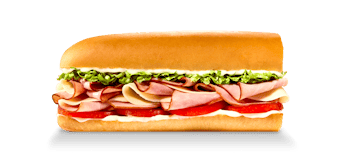
One 8-inch Pepe has 591 calories and 30 grams of protein in our snapshot. A 16-inch Pepe has 1,181 calories and 59 grams of protein. Two 8-inch sandwiches add to 1,182 calories and 60 grams of protein. The totals are close, but keeping the actual items on the order is more useful than replacing them with whichever number looks familiar.
That distinction becomes especially useful when you are buying lunch for more than one person. A larger sandwich, two regular sandwiches and two complete meals can look similar in a quick conversation. Once sides enter the bag, the totals can move apart considerably. Here is how to keep those orders straight without turning a simple lunch into an ingredient-counting exercise.
First, give the sandwich a complete label
The Pepe appears in several supplied serving records. The regular 8-inch entry is one sandwich, not a meal with chips. The 16-inch entry is the larger sandwich. The Little John is another distinct serving, at 300 calories and 15 grams of protein. “Pepe” identifies the sandwich family; the serving tells the calculator which figures to use.
| Pepe entry | Calories | Protein |
|---|---|---|
| Little John | 300 | 15 g |
| 8-inch | 591 | 30 g |
| 16-inch | 1,181 | 59 g |
| Two 8-inch servings, added together | 1,182 | 60 g |
The last line is arithmetic, rather than a fourth source recipe. It describes two copies of the regular entry. Keep that distinction visible if you save the comparison elsewhere: someone reading “1,182 calories” without the quantity might reasonably assume it refers to a different version of the sandwich.
The Pepe’s regular calculator entry opens a serving preview before adding anything. That extra check is helpful when a search result has brought you directly to the tool. You can confirm the size, add it once and then increase the quantity if the order really contains another complete regular sandwich.
Why two regulars and one Giant do not have identical figures
Doubling 591 produces 1,182, while the supplied 16-inch figure is 1,181. Protein follows a similar pattern: twice 30 is 60, while the larger entry lists 59 grams. These small differences are present in the data. The calculator preserves them rather than forcing every larger item to equal an exact multiple of the regular one.
The records do not establish the reason for each difference. It would be a guess to attribute that particular calorie to a specific ingredient, a change in bread or a precise preparation adjustment. For an order estimate, none of those guesses is necessary. You already have a source entry for the larger serving and a source entry for the regular one.
Use the record that matches the purchase. This also avoids a subtler problem: checking only calories and assuming all the other fields must match. A near-match in calories does not justify replacing the supplied protein, sodium or fat values with a hand-built version. The complete record is the unit of comparison.
Now put one bag of chips beside the sandwich
A regular bag of chips adds 300 calories and 3 grams of protein. An 8-inch Pepe with that bag totals 891 calories and 33 grams of protein. A 16-inch Pepe with one bag totals 1,481 calories and 62 grams of protein. These are complete two-item combinations, with no additional drink included in the calculation.
Read the item list before reading the result. If the meal contains only the 8-inch Pepe, 891 would be the wrong sandwich value. If the meal contains that sandwich and chips, 591 would leave part of lunch out. The same pair of numbers can both be correct while answering different questions.
This is also why a saved entry called “Pepe combo” needs more detail. It should say which sandwich size and which side it represents. The name alone does not tell you whether a drink was counted, whether a larger sandwich was selected or whether a default side was replaced.
Two meals can differ more than two sandwiches
Imagine two people each choose an 8-inch Pepe and a regular bag of chips. Together, those orders total 1,782 calories and 66 grams of protein. Compare that with one 16-inch Pepe and one shared bag of chips: 1,481 calories and 62 grams of protein for the purchased items.
The calorie difference is 301. Almost all of that difference comes from the additional bag of chips in the two-meal order, alongside the small difference between the sandwich records. Looking only at the bread length would miss what changed. There are two sides in one order and one in the other.
This comparison does not decide which order people should choose. It simply describes the contents. You might want separate sandwiches, separate sides, a larger sandwich to divide or something else entirely. Put the actual quantities into the meal summary, and the total will follow those choices without needing a rule about which type of order is better.
Keep the purchased order separate from an individual’s share
If people share food, the full-order total and one person’s intake are different records. The calculator is useful for the first because it adds whole listed servings. It does not know who ate which part of a sandwich, whether a bag was divided evenly or whether someone left some food for later.
A quantity of two means two complete copies of the selected entry. It does not mean that one sandwich was cut in half. Similarly, choosing a Little John is choosing its own serving record, rather than asking the tool to measure a fraction of a regular Pepe. Keep any separate portion estimate clearly labeled when transferring the result to another food log.
The nutrition page lets you check the other fields for the chosen serving, and the menu directory helps confirm the product before calculating. For the Pepe, the most useful habit is a short one: keep the size and the count attached to the name, then add the rest of the bag.