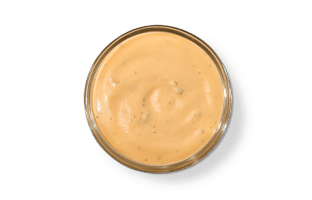
A small Kickin’ Ranch side lists 181 calories; the large side lists 688 in this site’s snapshot. If you have found a ranch entry that only says “one serving,” the missing detail is the portion name. Both of these source entries use “Each” as their serving label, but they describe different products within the sauce listing.
“Each” does not mean a teaspoon, a spoonful or a standard cup size. The small and large names carry information that the short serving label cannot supply by itself. Keep the full name with the number whenever you compare it, add it to a meal or save it in another food log.
Read the small and large rows separately
The source also includes Homestyle Ranch in small and large portions. That makes it possible to compare like-named sizes without assuming all ranch sides are the same. The calorie values below apply to the complete listed side portions; they are not amounts per ounce or amounts already included inside another menu item.
| Separate ranch side | Calories | Total fat | Sodium |
|---|---|---|---|
| Kickin’ Ranch, small | 181 | 19 g | 392 mg |
| Kickin’ Ranch, large | 688 | 72 g | 1,488 mg |
| Homestyle Ranch, small | 157 | 17 g | 382 mg |
| Homestyle Ranch, large | 595 | 63 g | 1,451 mg |
The small Kickin’ Ranch entry has 24 more calories than the small Homestyle entry. At the large size, that difference is 93. These comparisons use the named source portions. They do not establish identical container weights or tell us that one sauce is a fixed percentage more concentrated than the other.
Choose the sauce you mean before choosing the quantity. A familiar word such as ranch is not specific enough when several entries share it. The menu directory keeps the separate sides visible, which helps prevent a saved Homestyle entry from being used accidentally for Kickin’ Ranch, or vice versa.
What a separate side adds to a sandwich
Take an 8-inch Pepe as a straightforward example. The sandwich lists 591 calories. Add the small Kickin’ Ranch side and the two-item order totals 772 calories. Add the large side instead and it totals 1,279. The difference between those two orders is 507 calories, entirely from choosing a different separate sauce portion.
That example assumes the whole listed side is included in the calculation. It does not claim that every diner will use all of it. It is also not a new recipe for the sandwich itself. The prepared sandwich keeps its own source value, while the extra sauce appears as another item in the meal summary.
For an extra side, open the small Kickin’ Ranch calculator entry, check the name and add it once. If the summary contains the large entry, remove it before adding the small one. Increasing or decreasing quantity changes the number of that selected portion; it does not change the portion’s size.
Two small sides are not the large entry
Two small Kickin’ Ranch sides add to 362 calories. The listed large side remains 688. Those values are enough to show that the entries cannot be exchanged by assuming “large equals two small.” The source does not provide the volume information needed to turn either label into an exact number of the other.
The fat values tell the same practical story about keeping the records separate. Two small sides add to 38 grams of fat, compared with 72 in the large record. There is no reason to overwrite the large entry with the doubled small one just because you want a convenient relationship between the names.
If you are ordering sauce for several people, use the containers actually included in the order. Two individually supplied small sides and one supplied large side are different quantities in the tool. Later, if people divide the sauce, keep any estimate of each person’s share separate from the total for the purchased containers.
Sauce already in a prepared item needs a different check
A prepared sandwich or wrap has its own listed nutrition. Adding a separate side of ranch is a clear extra item. Adding a side entry merely because you recognize a sauce in the product name can count food that the prepared-item record already represents. Check what you actually purchased before adding another entry.
The reverse problem is subtracting a whole side portion when you ask for sauce to be removed from a sandwich. The small-side serving is not verified here as the amount used inside that sandwich. Removing 181 calories from a standard item would therefore suggest a level of recipe detail this dataset does not contain.
For a customized preparation, use the restaurant’s current information for that exact version when it is available. Keep standard prepared-item values and standalone-side values identified by their own serving definitions. The nutrition source notes explain why separate records are useful without implying that every ingredient adjustment can be calculated from them.
Logging the amount you actually use
There is a difference between including a full side in an order estimate and measuring how much sauce you eat. The first is what these entries support directly. The second needs additional portion information. Seeing sauce left in a container can tell you that you did not finish it, but it does not automatically establish an exact fraction.
For comparing a planned order, it is usually enough to be consistent about the full listed sides you include. Select the actual sauce, preserve “small” or “large” in its name, and check how many are in the meal summary. Those details prevent a much larger error than choosing between two nearby ranch figures without knowing what either serving means.